Export Data in SQL Format with mysqldump
Open a Command Prompt (cmd) by clicking on the Start button type cmd and then press the return (Enter) key.
Navigate to your "PaperOffice installation folder/bin" (Usually: C:\PaperOffice\bin) and drag & drop the "mysqldump.exe" file into the Command Prompt.
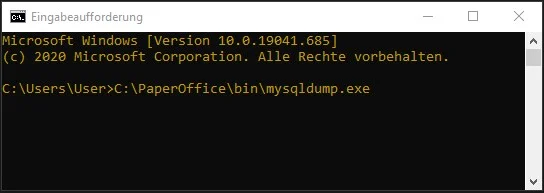
Now you need the Database server username, password, database name, ip, port and enter the following command in the Command Prompt:
-u [USER] -p -h [ip] --port [PORT] [DB_NAME] > [FILE_NAME]
Example:
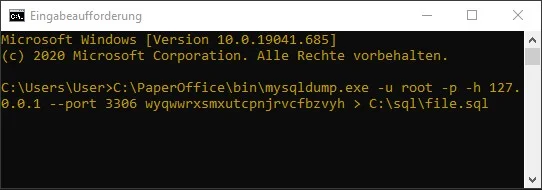
After pressing the return key it will ask you for the password, type the password and press again the return key. The backup process is now running and saving the sql file to the specified folder.
The Command Prompt will not show any progress, once it is finished you will see again the user with te blinking underscore.
Useful links