Description
For manual creation, go to the storage mask management as described above, create a new storage mask and click on "Export" in the storage mask overview to export the POJOB.JSON file.
Functional principle
Check the JSON parameters of the PaperOffice API
1. Save files in the monitored folder
The monitored folder must be set up with PIA "Switched off and optimized for bulk imports".
To do this, go to your settings and select "Automation and monitoring", then select "Add new monitoring" and in the next step the monitorable folder.
After the folder has been selected, check the "Switched off and optimized for bulk imports" option.

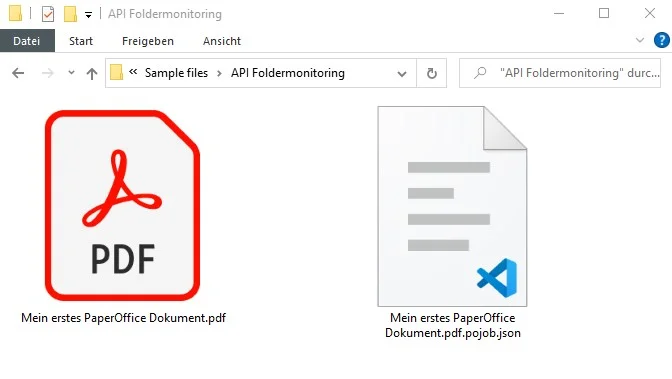
First save the pojob.json file and then the new document that is to be saved.
2. Detect and assign POJOB file
The name of the POJOB file is always identical to the target document, but with the ending pojob.json
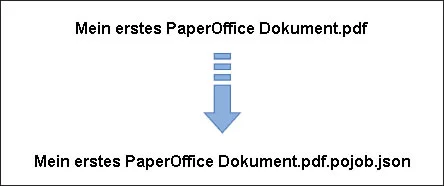
3. Get parameters from POJOB file
PaperOffice takes all added parameters from the POJOB file and then removes it.
4. Finished! Document has been saved
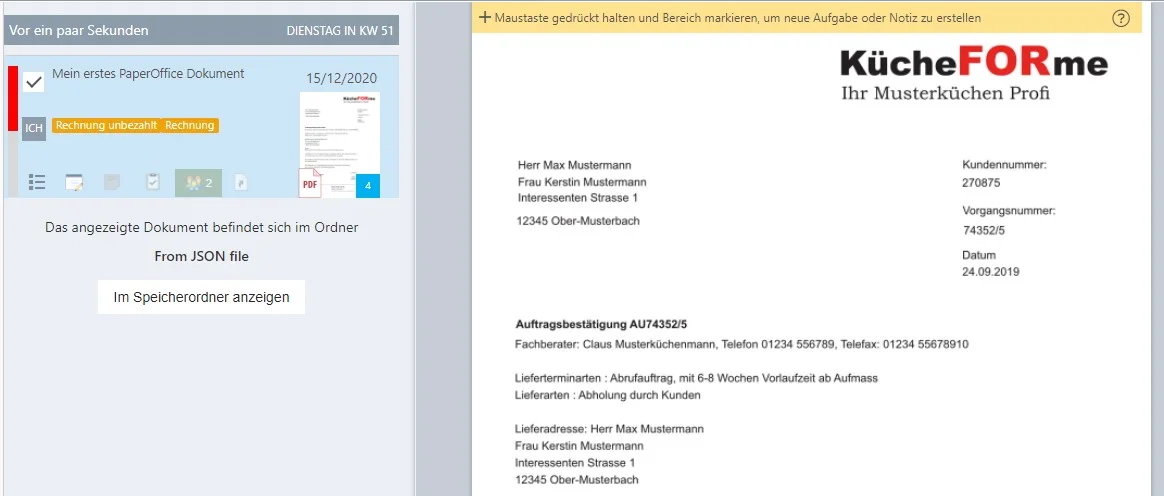
PaperOffice saves your document fully automatically according to all specifications.
Example for installation
PaperOffice will automatically save the document in accordance with all of the specified specifications.
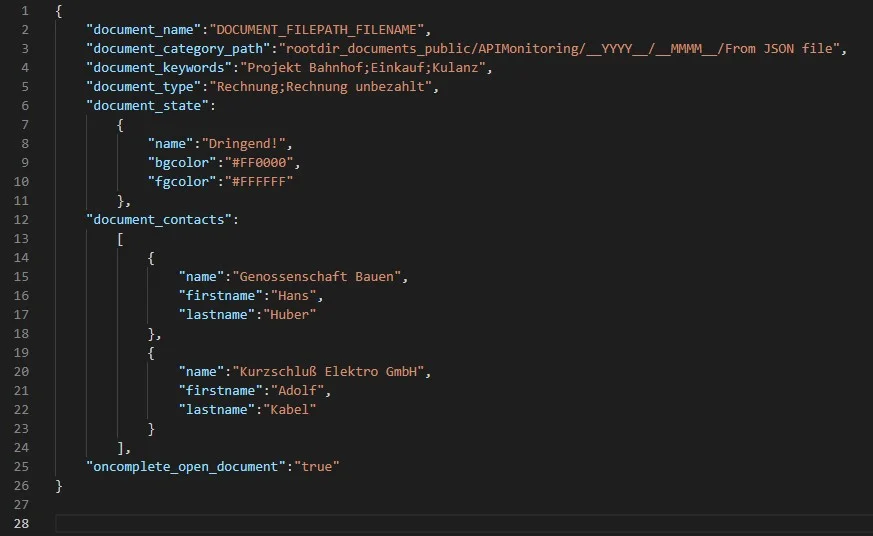
{
    "document_name":"DOCUMENT_FILEPATH_FILENAME",
    "document_category_path":"rootdir_documents_public/APIMonitoring/__YYYY__/__MMMM__/From JSON file",
    "document_keywords":"Project station;purchase;goodwill",
    "document_type":"Invoice;Invoice unpaid",
    "document_state":
        {
            "name":"Urgent!",
            "bgcolor":"#FF0000",
            "fgcolor":"#FFFFFF"
        },
    "document_contacts":
        [
            {
                "name":"Cooperative Construction",
                "firstname":"Hans",
                "lastname":"Huber"
            },
            {
                "name":"Electro Inc",
                "firstname":"Adolf",
                "lastname":"Cable"
            }
        ],
    "oncomplete_open_document":"true"
}
Examples to try out
You will find the test files prepared with POJOB-JSON control tags in the PaperOffice installation directory under „/lib/POJOB-JSON sample files/en“:
- /lib/POJOB-JSON sample files/en/Mein erstes PaperOffice Dokument.pdf - /lib/POJOB-JSON sample files/en/Mein erstes PaperOffice Dokument.pdf.pojob.json
1. Make sure that you are logged into PaperOffice.
2. Copy first the .pojob.json file into the watchable folder.
3. Only then copy the .pdf file into the monitorable folder.
PaperOffice will automatically save the document as a PDF document for long-term archiving (PDF / A) in accordance with all of the specified specifications.